
What “Simple” Really Means
When a product is described as “simple,” it doesn’t usually mean that it requires no explanation. Real-world devices need manuals, setup steps and a bit of learning. Simplicity, on the other hand, means something more practical: the product makes sense once you start using it, and it doesn’t make things harder than they need to be.That kind of simplicity is rarely simple to achieve.
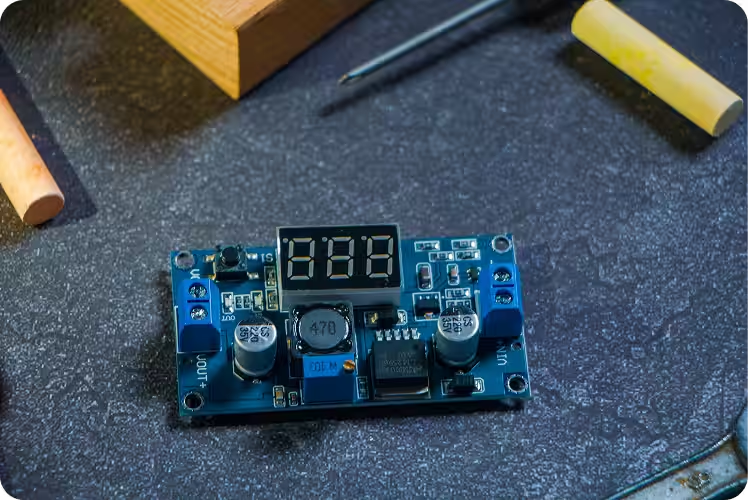
Where Complexity Actually Lives
Consumer devices- especially connected ones, operate in messy environments. They deal with different users, different habits, varying levels of technical comfort, and unpredictable conditions. A product may look straightforward on the outside, but inside it’s managing connectivity, power, data, edge cases, and failure scenarios all at once.What designers and engineers are really trying to do is decide where that complexity should live.
If it lives with the user, the product feels overwhelming. If it lives inside the system, the experience feels manageable even if it requires guidance. Manuals exist not because products are poorly designed, but because modern products are capable of a lot. The goal is not to eliminate learning, but to make it reasonable.
Introducing Complexity at the Right Pace
A “simple” product, in this sense, is one that introduces its complexity gradually. It doesn’t demand that users understand everything upfront. It allows them to start with the basics and discover more over time. It explains itself when necessary and stays out of the way when it’s not.This balance is difficult to get right.
The Trade-offs Behind Every Decision
Every decision has trade-offs. Automating too much can make a product feel unpredictable. Explaining too much can make it feel intimidating. Hiding too much can leave users unsure of what’s happening. The work happens in finding the middle ground- where the system supports the user without taking control away from them.
The Silent Conversation Between Hardware and Software
When Hardware Sets Expectations
Hardware plays a big role here. Physical design influences how people approach a product before they even turn it on. Buttons, ports, indicators and form factor all send signals about what the product does and how it should be handled. These signals need to align with what the software expects, or confusion sets in quickly.
Software as the Coordinator
Software then takes on the task of coordination. It connects components, manages states, and translates technical behavior into understandable feedback. Good software doesn’t remove complexity- it manages it responsibly. It helps users recover from mistakes, understand what’s happening, and feel confident over time.

Designing for Different Kinds of Users
What makes this especially challenging is that no two users are the same. Some want guidance. Others want control. Some read manuals carefully. Others learn by trial and error. A product that feels simple to one person may feel restrictive to another.
Designing for this range requires iteration. Early versions often reveal where assumptions break down. Over time, instructions improve, interfaces become clearer, and workflows become more forgiving. The product doesn’t become less capable-it becomes easier to live with.
At Arzen, simplicity is approached with realism.
Products are designed to be powerful, connected, and flexible, while still respecting the fact that users will need time to learn them. Manuals, onboarding, and guidance are part of the experience—not signs of failure. The focus is on making that learning curve clear, intentional, and worthwhile.
Because in the real world, simple doesn’t mean effortless.It means thoughtfully designed, responsibly explained, and built to support people as they grow into the product